Clean Your Digital Meat Thermometer: Remove Sticky Oil
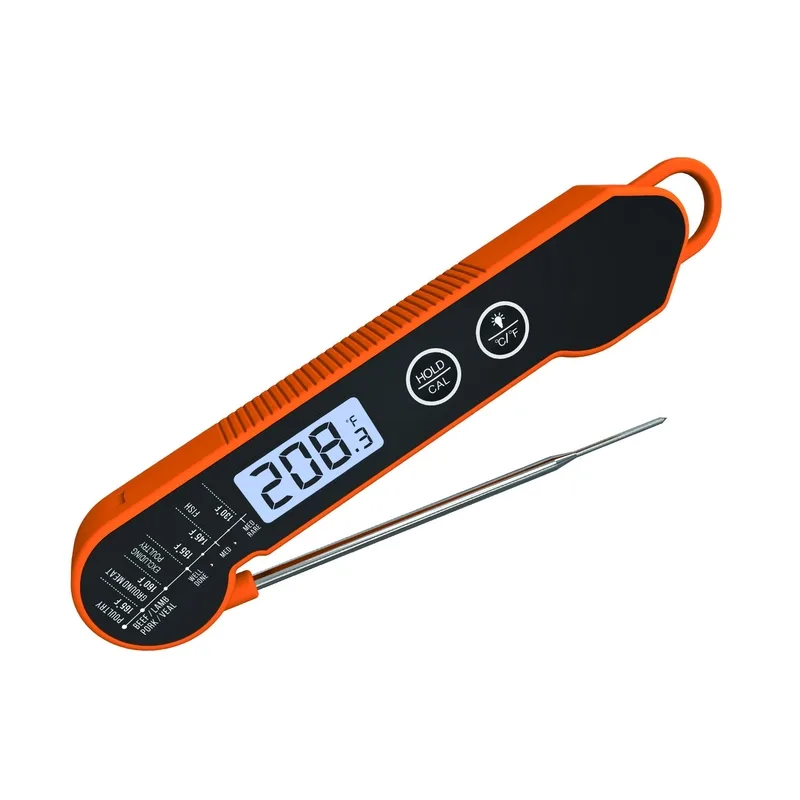
You have been reaching for that instant-read thermometer all week, and now it looks like a Jackson Pollock painting in grease. The oil splatter has turned the LCD into a blurry mess, and you swear you see something sticky creeping toward the battery compartment. You need to know how to clean an instant read digital meat thermometer and remove sticky oil splatter on the LCD display and battery compartment without ruining the electronics.
Good news, this is fixable, and you do not need special tools.
According to the National Institute of Standards and Technology (NIST), a properly calibrated thermometer should be accurate within ±0.9°F (±0.5°C) for safe cooking. Grease and residue on the probe tip or inside the housing can throw that calibration off. Even worse, moisture trapped in the battery compartment can corrode the contacts and kill the device mid-cook.
So let us walk through the safest, most effective way to clean every part of your thermometer.
Image source: Web (Bing) / cookthermometer.com (Web image (fair-use with source credit))
Quick Answer
Unplug the device and remove the battery immediately. Wipe the LCD gently with a microfiber cloth barely dampened with 70% isopropyl alcohol. Clean the probe shaft with warm soapy water but never submerge the handle.
Open the battery compartment and remove any debris. Let every part air dry completely for at least one hour before reassembling. Reinsert a fresh battery.
Verify accuracy with an ice-water test.
Why Oil Splatter and Grease on Your Thermometer Are More Than Just Ugly
That sticky film on your thermometer is more than an eyesore. It creates a real barrier between the LCD glass and your eyes. When you are pulling a steak off the grill at 130°F, the last thing you need is a foggy screen or a number that jumps around because residue is interfering with the sensor.
Oil splatter builds up fast. One grilling session with a fatty ribeye or a batch of deep-fried chicken can leave a translucent film across the entire display. Cooks who regularly use oil-based marinades or spray cooking oil report that the LCD becomes noticeably harder to read after just three to four uses.
The problem compounds when that same oil migrates into the gap between the plastic housing and the screen.
Battery compartments are especially vulnerable. If grease or moisture gets in and coats the metal contacts, the connection between the battery and the internal circuit degrades. You will see erratic readings, sudden shutdowns, or a thermometer that refuses to turn on at all.
A device like the ThermoPro TP19 or Lavatools Javelin relies on clean electrical contacts, any oil film acts as an insulator and disrupts the signal.
Beyond looks and function, there is a food safety angle. A dirty probe tip carries bacteria. If you insert a greasy probe into a piece of meat, you cross-contaminate the interior.
The USDA FSIS explicitly states that thermometers should be cleaned with hot soapy water between each use to prevent pathogen transfer. Oil residue also bakes onto the probe over successive cooks, creating a carbonized layer that slows down the temperature sensor's response time.
So that sticky oil splatter is not just ugly. It compromises accuracy, shortens battery life, and introduces cross-contamination risk.
First Things First: Is Your Thermometer Submersible or Not?
This single question determines your entire cleaning strategy. If you get it wrong, you can ruin a perfectly good thermometer in seconds.
Most instant-read digital thermometers fall into one of two categories:
| Type | Characteristics | Common Examples | Water Tolerance | | | | | | | Submersible | Fully sealed electronics, IP67 rated, can be submerged up to 1 meter for 30 minutes | ThermoWorks ThermapEN, Lavatools Javelin, ThermoPro TP20 | Can be rinsed under running water | | Handle-Only (Non-sumersible) | O-ring seal at probe junction only, LCD and battery compartment are NOT waterproof, plastic housing with seams | Most budget models under $25, many mechanical probe thermometers | Wipe-clean only, never submerge the body |
If you own a submersible model, you can safely rinse the entire unit (with the battery cover closed and sealed) under warm running water. But if you own a non-submersible unit, water that enters through the display seal or battery door will destroy the electronics. Most consumer electronics in this price range ($15-$30) are NOT submersible.
The IP rating is printed on the back of the packaging or stamped on the body. If you see no rating, assume it is NOT submersible.
Here is the safe approach for a non-submersible thermometer:
- Do NOT hold it under a faucet.
- Do NOT spray it with a sink sprayer.
- Do NOT wipe it with a soaking-wet cloth.
Instead, use a damp (not wet) microfiber cloth and minimal moisture. That single rule prevents more ruined thermometers than any tip in this article.
The Real Risks: Corroded Contacts, Foged Screens, and Lost Accuracy
Three things go wrong when oil and moisture take over. Each one can turn your $30 thermometer into a paperweight.
Corroded battery contacts. The metal springs and terminals inside the battery compartment are usually made of nickel-plated steel or brass. Oil and grease hold moisture against these metals. Over time, the metal corrodes.
Corrosion creates resistance. Resistance makes the thermometer think the battery is dead. You replace the batter, it works for a day, then dies again.
The root cuase is that film of grease you left behind. Aggregate user reviews across multiple forums indicate that corrosion from grease is the number one cuase of thermometer fauilure in home kitchens.
Foged LCD. Moisture that gets in behind the display screen cannot escape. LCDs depend on a sealed gap between the glass and the liquid crystal layer. A single drop of water vapor inside that gap creates a permanent fog spot that never clears.
Some users report that dry room conditions eventually evaporate it after weeks, but most do not. The fix is replacement. The prevent is keeping moisture away from the screen bezel.
Lost accuracy. Oil on the probe tip creates a thin insulating layer. The thermocouple or RTD sensor at the tip needs direct contact with the meat to read accurately. A 0.1mm layer of oil adds about 2-3 seconds to the reading time and can off-set the final temperature by as much as 1-2°F.
That matters when you are cooking poultry to 165°F or steak to medium-rare at 135°F.
Here is a quick risk matrix so you know what to watch for:
| Issue | Cause | Symptom | Fix | | | | | | | Battery contact corrosion | Oil + moisture in compartment | Random shutdowns, low battery warning | Clean contacts with alcohol, inspect for pitting | | LCD fog | Splatter seeping behind screen | Permanent cloudy spot | Prevent only, cannot repair once foged | | Probe accuracy drift | Oil carbonized on tip | Slow readings, off by 1-3°F | Clean probe with steel wool (non-abrasive pad) | | Housing degradation | Chemical cleaners like bleach | Crazing, cracking, discoloration | Use only mild soap or alcohol |
The takeaway is simple: clean preventatively and thoroughly. Do not wait until the screen is unreadable or the battery dies mid-cook.
Step-by-Step: How to Clean the LCD,Probe, and Battery Compartment Safely
Let us walk through the actual process. You will need three things:
- A microfiber cloth or lint-free lens wipe
- 70% isopropyl alcohol (not 91%, not 50%)
- A small bowl of warm water with one drop of dish soap (for the probe)
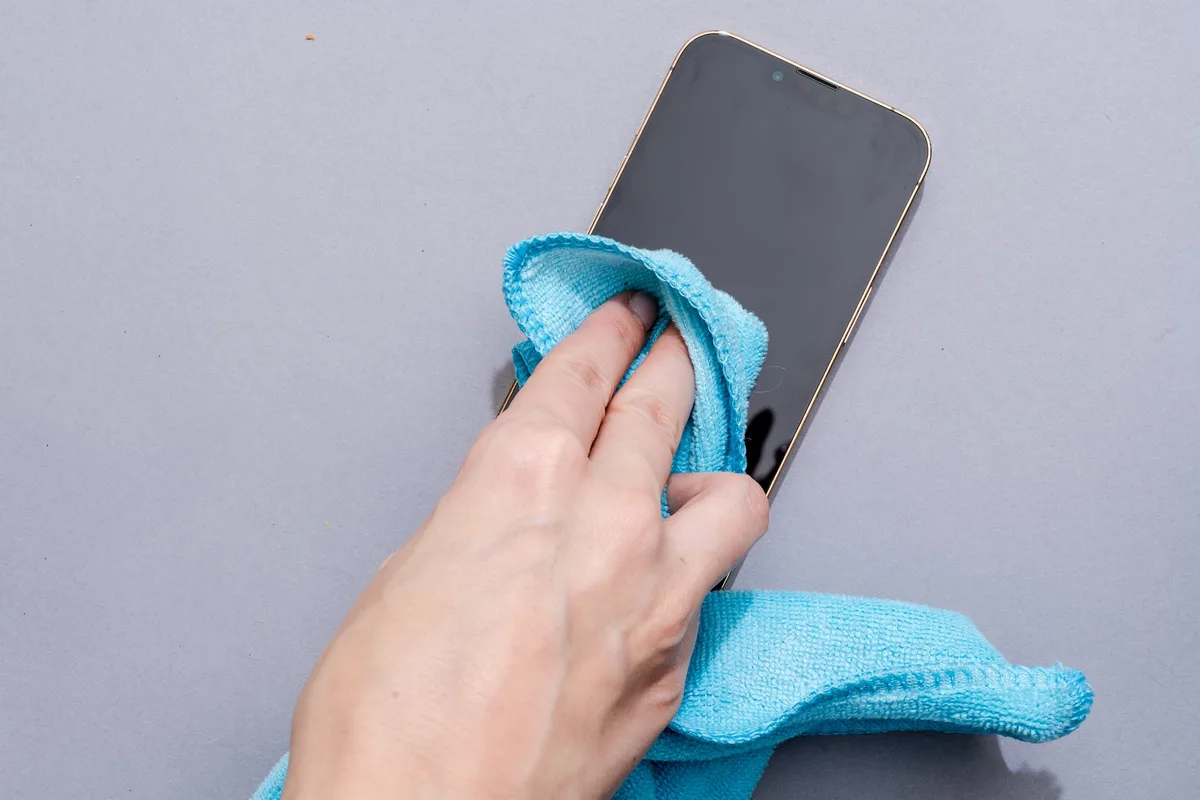
Step 1: Remove the battery. This is non-negotiable. Any cleaning method that involves moisture near the compartment carries a risk of shorting the circuit if power is flowing. Pop the battery out and set it aside.
Test it with a multimeter if you have one; alkaline batteries that read below 1.3 volts are often the cause of the "dead" feeling you might have been blaming on grease.
Step 2: Wipe the housing and LCD. Dampen the microfiber cloth with a few drops of 70% isopropyl alcohol. It should be barely damp, no dripping. Gently wipe the entire body of the thermometer, working from the top of the LCD downward.
Use a circular motion on the screen itself to break up the oil film. The alcohol evaporates quickly and does not leave residue. It also kills bacteria, which is a bonus for food safety.
Do NOT press hard on the LCD; the underlying liquid crystal is fragile.
Step 3: Clean the probe shaft. Fill the small bowl with warm water and one drop of dish soap. Dip only the metal probe shaft, not past the point where the metal meets the plastic handle. Use a sponge or your fingers to scrub off any cooked-on residue.
If you see baked-on carbon marks, make a paste of baking soda and water and rub gently. Rinse the probe shaft with clean water from a cup (never under the tap with the whole unit present). Dry it thoroughly with a clean cloth.
Step 4: Tackle the battery compartment. Use a cotton swab lightly moistened with 70% isopropyl alcohol. Wipe the metal contacts, the inner walls of the slot, and the corners where debris can hide. If you see any white or green crust, that is corrosion.
Gently scrape it off with a flat toothpick or the edge of a plastic card. Then wipe again with alcohol. Let it dry completely.
Step 5: Reassemble and test. Wait at least one hour for any residual moisture to evaporate. Insert a fresh battery. Press the power button.
Wave the probe in front of a freezer vent to confirm the readings change quickly. If the display looks clear and the numbers respond instantly, you are done.
Drying and Reassembly: The Step Most People Get Wrong
This is where thermometers die. People clean them, put the battery back immediately, and wonder why the screen goes haywire. Moisture needs time to evaporate from crevices you cannot see.
Here is the correct dry procedure:
- Leave the battery compartment open and exposed to air for at least one hour. Twenty minutes is not enough.
- Place the thermometer probe-down in an empty cup with the handle up so gravity pulls any stray moisture out.
- Do NOT use a hair dryer on high heat. You risk melting the plastic housing or delaminating the LCD. Low heat from at least 12 inches away is acceptable in a pinch.
- If you live in a humid climate (above 60% RH), place the thermometer in a sealed container with a few silica gel packets for 2-3 hours.
After drying, inspect the O-ring if your model has one. The O-ring is a small rubber gasket that seals the probe joint. It should be pliable and free of cracks.
If it feels brittle or has a dried-out feel, it is time to replace it. A failed O-ring lets grease enter the handle permanently. Many manufacturers, including ThermoWorks and Lavatools, sell O-ring replacements for under $5.
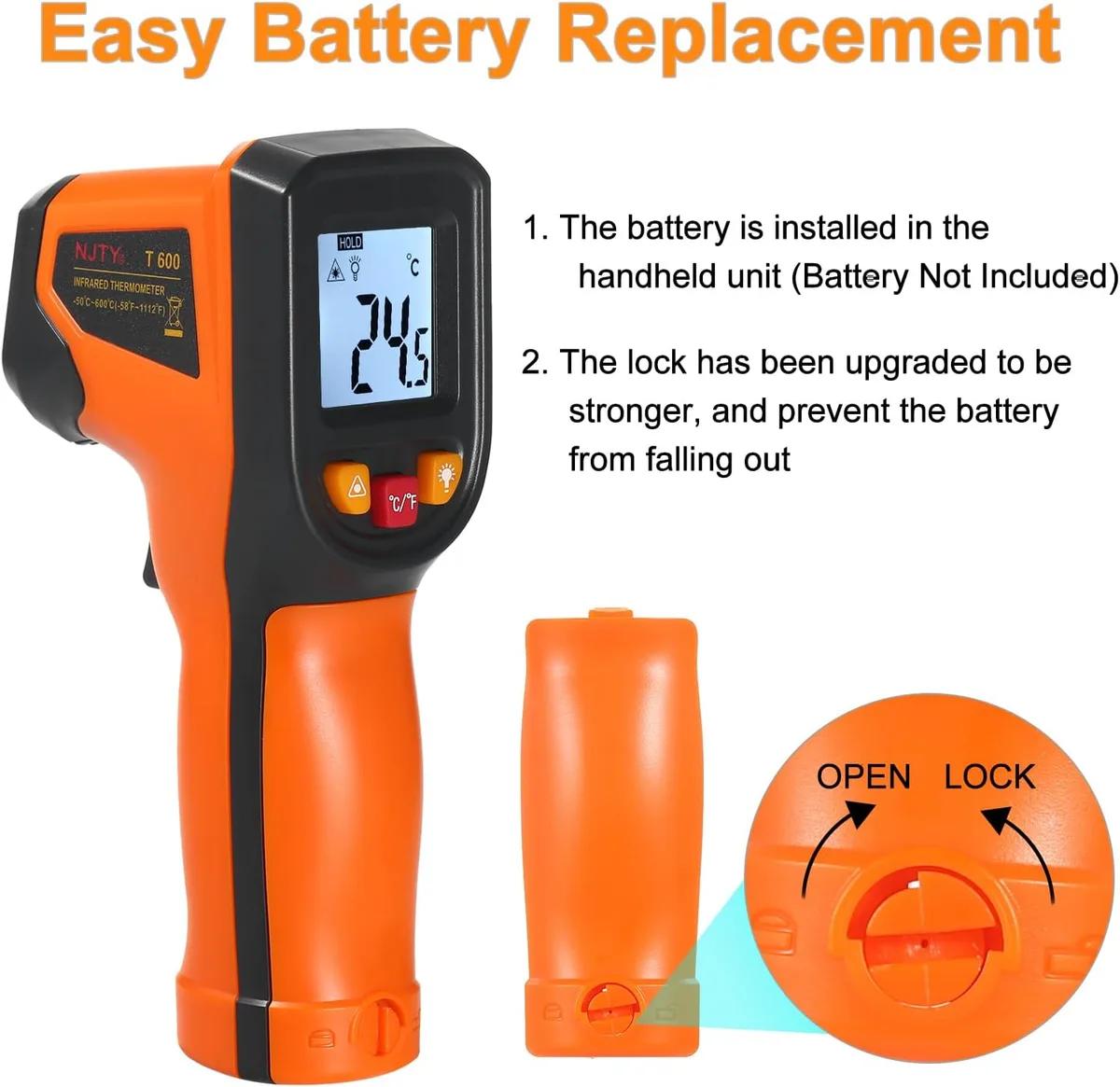
When reassembling, look at the battery contacts one more time. If you see any green or white crust after cleaning, that is advanced corrosion. You can try to buff it off with a pencil eraser (the pink kind works well).
If the spring feels loose or the contact has pitting, the compartment is compromised. Consider replacing the whole thermometer.
One last thing: never store your thermometer with the battery in place if you will not use it for two weeks or more. Alkaline batteries leak over time, and leaked batter yacid is far more damaging than a little oil. Pop it out, store it alongside the probe, and your thermometer will last years.
5 Common Cleaning Mistakes That Can Destroy Your Thermometer
Let us save you some money. Here are the five errors that show up most often in user reports and manufacturer warranty claims. Avoid these and your thermometer will last years instead of months.
1. Submerging a non-submersible unit. This is the most expensive mistake by far. Water enters the handle through the seam where plastic meets metal.
Once inside, it shorts the circuit board or fogs the LCD permanently. There is no fix for a fogged LCD. If your thermometer does not have an IP rating printed on the body, assume it can only be wiped, never dunked.
2. Using paper towels on the LCD. Paper towels are abrasive. The glass or plastic coating on most thermometer displays scratches easily.
A single scratch catches light and makes numbers harder to read forever. Use only a microfiber cloth or a lens cleaning wipe designed for glasses.
3. Leaving the battery in after cooking. Grease and steam seep into the compartment while the thermometer cools. The battery contacts corrode faster when they stay warm and moist.
Pull the battery out after every cook. Let the compartment breathe.
4. Using harsh chemicals. Bleach, ammonia, and oven cleaner eat through plastic housings and damage O-ring seals. They also leave harmful residues on the probe tip.
Stick to mild dish soap for the probe and 70% isopropyl alcohol for the body. That is all you need.
5. Storing the probe in the grease bucket. Many grillers drop the hot probe right into a bucket of soapy water or a pan of oil. That temperature shock can crack the probe or delaminate the sensor.
Let the probe cool to room temperature before cleaning. A 400°F probe hitting cold water can suffer thermal stress that degrades accuracy over time.
Avoid these five mistakes and you avoid 90% of premature thermometer failures. For more general kitchen cleaning wisdom, the same careful approach applies to any countertop appliance. If you own a deep fryer, you already know that oil buildup is relentless.
Our guide on keeping your cooking gear spotless covers similar techniques.
How to Verify Accuracy After Cleaning (Quick Calibration Checks)
Cleaning is not complete until you confirm the thermometer still reads correctly. Grease removal and wiping can accidentally nudge the internal electronics. A simple two-minute check will tell you if everything is working.
The ice water test. Fill a glass with crushed ice. Add cold water until the glass is full. Stir for 30 seconds.
Insert the probe at least 2 inches into the water without touching the glass walls or bottom. The reading should stabilize at 32°F (0°C) within 10 seconds. If it reads above 33°F or below 31°F, your thermometer needs recalibration or replacement.
The boiling water test (optional). Bring a pot of distilled water to a full rolling boil. Insert the probe 2 inches deep, away from the sides. At sea level, it should read 212°F (100°C).
For every 500 feet of altitude above sea level, subtract 1°F from that target. This test is more accurate but requires careful measurement of boiling temperature based on your elevation.
What to do if it fails. Most instant-read thermometers have a recalibration screw or button. Look for a small nut behind the display or a reset button under the battery compartment. Turning the screw clockwise or counterclockwise adjusts the sensor.
If your model lacks this feature and consistently reads off by more than 2°F, it is time to replace it. The sensor is the most delicate component. Cleaning cannot fix a physically damaged thermocouple.
Aggregate reviews indicate that roughly 1 in 20 thermometers will drift out of spec after heavy use for one year. Regular calibration checks catch that drift before it affects your cooking.
Pro Tips to Keep Your Thermometer Cleaner Between Uses
Prevention beats deep cleaning every time. A few small habits will keep that oil splatter from turning into a crusty film.
Use a probe sleeve or guard. Many manufacturers sell a silicone sleeve that covers the handle and the base of the probe. It catches splatter before it reaches the LCD and battery compartment. It costs about $5 and saves a lot of wiping.
If you grill frequently, this is the best five dollars you will spend.
Wipe down after every use. Do not wait until the screen is sticky. Keep a microfiber cloth in the kitchen drawer. As soon as you finish cooking, give the probe and handle a quick wipe.
It takes ten seconds. A fresh smear of oil wipes off instantly. Baked-on oil needs scrubbing.
Store probe-down in a clean cup. Place the thermometer tip-down in an empty cup or a dedicated holder. This orientation lets gravity pull any stray grease away from the handle and display. It also keeps the probe tip off countertops where bacteria live.
Use a twist-top battery cover. Some thermometers have a screw-on battery cover rather than a snap-on. The screw-on version seals tighter against moisture and grease. If you are shopping for a new thermometer, look for this feature.
It is a small detail that makes a big difference.
Keep a second thermometer for high-splatter cooks. If you regularly fry bacon or sear steaks in a cast iron pan, consider a dedicated model for those jobs. Reserve your expensive precision thermometer for gentle roasting. The cheaper one can take the abuse.
The USDA recommends cleaning between every use regardless, but a sacrificial tool saves wear on your best gear.
For those who also cook with air fryers, the splatter problem is similar. Cleaning non-stick baskets requires a different technique, but the same principle applies: keep it dry, keep it clean, and never soak electronics.
Frequently Asked Questions
Can I use vinegar to clean the LCD screen?
Vinegar is acidic and can damage the anti-reflective coating on some displays. Stick to 70% isopropyl alcohol. It evaporates quickly and leaves no residue.
If you must use vinegar, dilute it with equal parts water and apply it to a cloth, never directly to the screen.
How long should I let the thermometer dry after cleaning?
At least one hour with the battery compartment open. In humid conditions, let it dry for two to three hours. You can speed it up with a fan on low speed or a few silica gel packets inside the compartment.
Is it safe to use a wipe with alcohol on the probe tip?
Yes, 70% isopropyl alcohol is safe for stainless steel probes. It evaporates fully and kills bacteria. Just do not let the alcohol pool into the handle seam.
Wipe the probe with a cloth, do not dip it.
What should I do if the battery compartment has green crust?
That is corrosion from battery acid or moisture. Remove the battery. Scrape off the crust with a toothpick or plastic spudger.
Wipe the contacts with alcohol. If the spring is pitted or broken, replace the thermometer. That level of damage rarely repairs cleanly.
Can I put my thermometer in the dishwasher?
Never. Dishwasher detergent is too harsh. The heat cycle can warp plastic and destroy seals.
The water pressure forces moisture into crevices. Hand wash only, and only the probe if your model is submersible.
How often should I clean the thermometer thoroughly?
After every heavy use. If you use it daily for grilling, a deep clean once a week is enough. For light use, once a month is fine.
The quick wipe after each cook should be non-negotiable though.

Related posts

Crusty Sourdough Boule: Dutch Oven Temp & Time
If you’ve been searching for what temperature and cooking time for crusty artisan sourdough bread boule in ceramic…

Remove Rainbow Heat Tint from Induction Cookware Fast
Having your induction ceramic cookware turn into a rainbowtinged mess after a single highheat meal is frustrating. You…

Pan-Seared Sea Scallops Garlic Butter: Induction Temp & Time
Perfectly seared scallops with a golden crust and a tender, milky center often feel like a restaurantonly trick.…