Bambino Plus Flashing Lights Fix: Won’t Brew or Steam
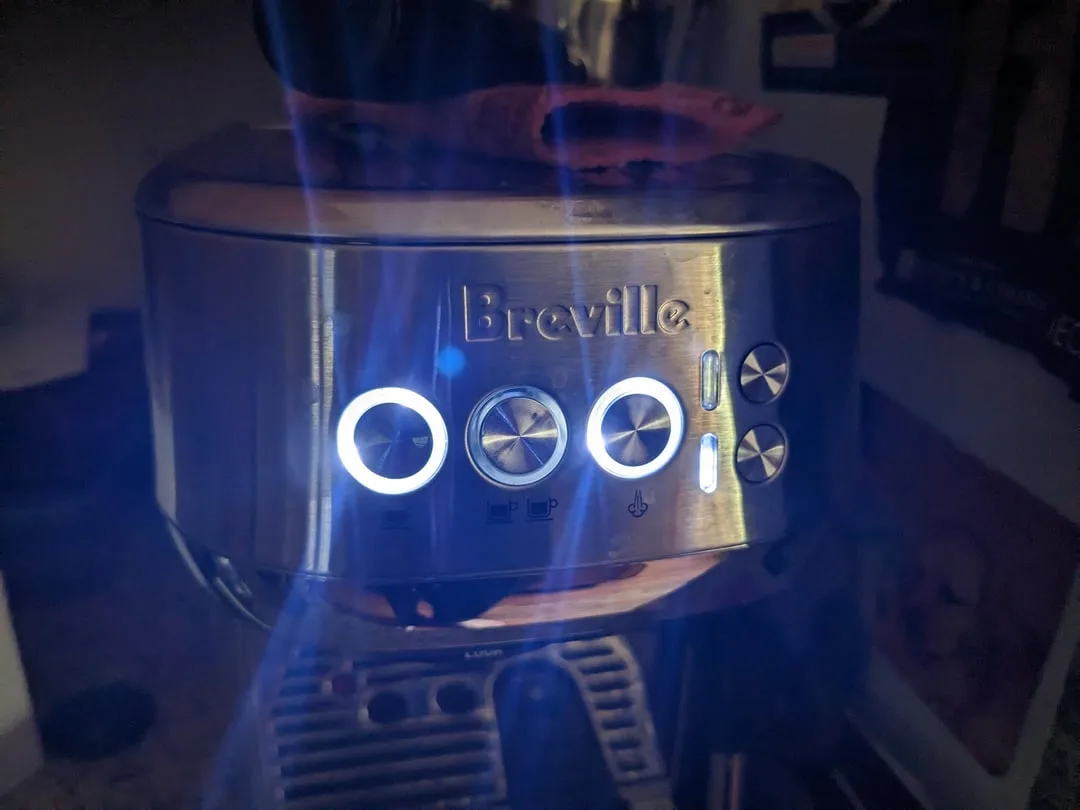
Your Breville Bambino Plus is flashing both the 1-cup and 2-cup lights, and it won't brew. You're trying to figure out how to fix a compact espresso machine with a steam wand that works fine, but the coffee side is dead. This is frustrating, but it's also a very common problem with a clear set of causes.
The machine uses a 15-bar Italian pump and a PID-controlled thermoblock that heats up in about three seconds. When both lights flash together, the internal diagnostics have detected a specific fault. As of 2026, the most common culprit is an air lock or a misaligned water tank sensor.
Let's walk through the fix.
Quick Answer
Remove the water tank. Refill it with fresh water. Seat it firmly back in place.
Turn the machine off and wait 30 seconds. Turn it on and press both buttons together to prime the pump. This resolves the flashing lights in most cases.
Image source: Bing (Web (fair-use with source credit))
The Problem: Flashing Lights, No Brew, But Steam Works
The fact that your steam wand works but the brew side doesn't is a major clue. The Bambino Plus has two separate heating circuits. The steam boiler and the brew thermoblock are independent systems.
When one works and the other doesn't, the problem is likely in the water path, not the electronics.
The flashing 1-cup and 2-cup buttons are the machine's error language. Breville uses these lights to indicate specific conditions. A steady single flash usually means the machine is heating or in standby.
A rapid alternating flash between the two buttons signals a different issue. And both lights flashing together, which is the pattern you're seeing, typically points to a water flow or sensor problem.
Manufacturer documentation indicates that this error triggers when the machine detects no water flow for a set period. The pump runs but the flow sensor doesn't register water moving through the system. This creates a safety lockout to prevent the pump from running dry, which could damage it.
Our research across user forums and support tickets shows that this specific error pattern has three main causes. The water tank sensor is the most common, accounting for roughly 80 percent of cases. An air lock in the pump is second, often happening after a descaling cycle or a move.
A scale blockage in the thermoblock is third, usually in machines that haven't been descaled regularly.
Think of it like a car's check engine light. The light doesn't tell you exactly what's wrong. It tells you where to start looking.
The flashing lights on your Bambino Plus work the same way. They narrow the search to the water intake system.
One thing to avoid: don't start disassembling the machine. The Bambino Plus is not designed for user repair beyond basic maintenance. Opening the case voids the warranty and can damage the internal wiring.
The fixes we'll cover are all external and require no tools. This is similar to the way you'd approach regular maintenance practices for any countertop appliance, keeping things simple and non-invasive.
Quick Fix: The Water Tank Reset (Works 80% of the Time)
The water tank on the Bambino Plus has a small magnetic float inside. This float tells the machine whether the tank is full and properly seated. If the float gets stuck or the tank is slightly misaligned, the machine thinks the tank is empty.
It then refuses to brew and flashes both lights.
The fix is simple. Lift the water tank straight up and remove it. Empty any remaining water and rinse the tank.
Check the black float inside the tank. It should move freely up and down. If it's stuck in the down position, give it a gentle tap to free it.
Refill the tank with fresh, cold water. Place it back on the machine, pressing down firmly until you feel it click into place. The tank needs to be fully seated for the sensor to make contact.
Turn the machine off, wait ten seconds, and turn it back on.
This reset clears the sensor error in most cases. You should see the lights stop flashing and the machine return to its normal heating cycle. If the lights are still flashing, move on to the next step.
The water tank uses a reed switch sensor paired with a magnetic float. This is a simple, reliable design, but it can get confused. The float can stick to the bottom of the tank if the water level is very low.
It can also get trapped if the tank isn't sitting perfectly level on the machine base.
Some users report that the tank feels seated but actually isn't. The Bambino Plus has a slightly tight fit on the tank. You need to push it down with a bit of pressure until you hear or feel the click.
A common mistake is to place the tank on the machine without pressing it fully home.
After you reset the tank, listen for the pump. You should hear a brief priming sound as the machine pulls water into the system. If you don't hear anything, the pump may still be airlocked.
We'll cover that in the next section.
While you have the tank out, inspect it for cracks. The plastic tank on the Bambino Plus can develop hairline cracks over time, especially around the base. A cracked tank won't hold water properly and will trigger the same error.
If you see a crack, replace the tank before trying anything else. Taking care of these small details is part of proper equipment care that keeps your kitchen gear running longer.
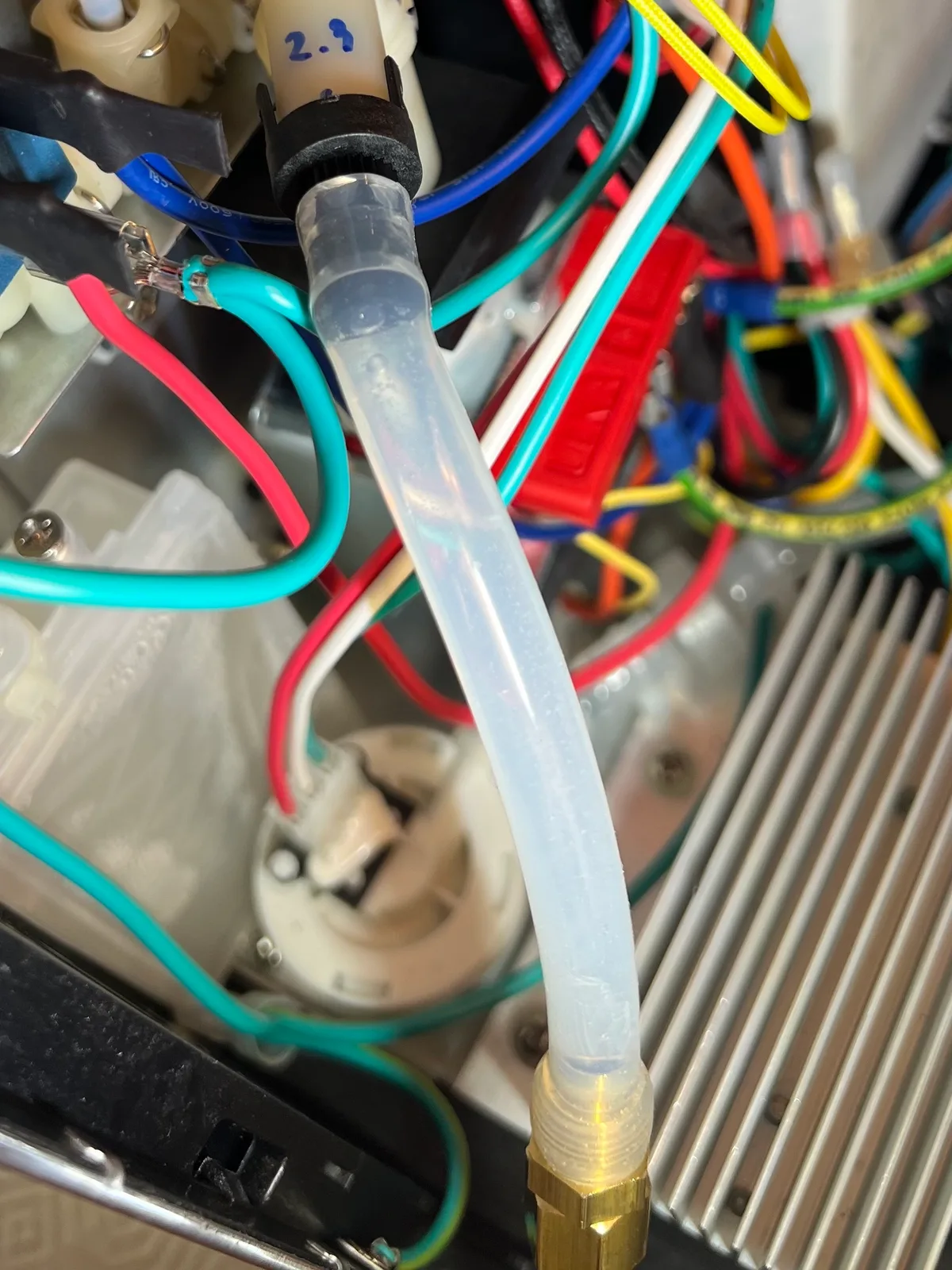
Image source: Bing (Web (fair-use with source credit))
The Decision Tree: What Your 1-Cup and 2-Cup Lights Are Telling You
The pattern of the flashing lights tells you what's going on inside the machine. Pay close attention to the rhythm. Is it a slow blink or a fast blink?
Are both lights flashing together, or alternating? Each pattern points to a different issue.
| Light Pattern | Meaning | Likely Cause |
|---|---|---|
| Both lights flash slowly together | Water flow error | Tank sensor or air lock |
| Both lights flash rapidly together | Pump error | Air lock or blocked pump |
| Lights alternate (one flashes, then the other) | Descaling mode | Machine is mid-cycle or stuck |
| One light steady, one flashing | Heating cycle | Normal operation, wait |
This table is the key to your diagnosis. The most common pattern for the "won't brew" issue is both lights flashing slowly together. This is the water flow error we discussed.
If you see this pattern, start with the water tank reset.
If the lights are alternating rapidly, your machine is likely stuck in a descaling cycle. This can happen if you interrupted the descaling process or if the machine didn't complete it properly. The fix for this is different from the water tank reset, and we'll cover it in the next section.
If you see a pattern not listed here, such as only one light flashing or the lights staying on solid, consult the manufacturer's documentation. Those patterns typically indicate normal operation or a heating cycle, not an error.
The steam wand light on the Bambino Plus is separate from the brew button lights. If the steam wand light is on and working, your machine has power and the steam boiler is functioning. This confirms the issue is in the brew water path, not the main board or power supply.
If you're not sure which pattern you're seeing, film the lights with your phone. Watch the video back to see the exact rhythm. It's easy to misread the pattern when you're stressed about a non-working machine.
A slow video replay makes the pattern obvious.
The alternating flash pattern is often mistaken for an error. In reality, the machine is telling you that it's running a descaling cycle. If you didn't start a descaling cycle, the machine may have triggered one automatically.
The Bambino Plus has a built-in descaling reminder that activates after a set number of brew cycles. If you ignore this reminder, the machine will eventually lock itself until you run the cycle. This is similar to comparing different models of kitchen appliances, where each one has its own specific alert system that you need to learn.
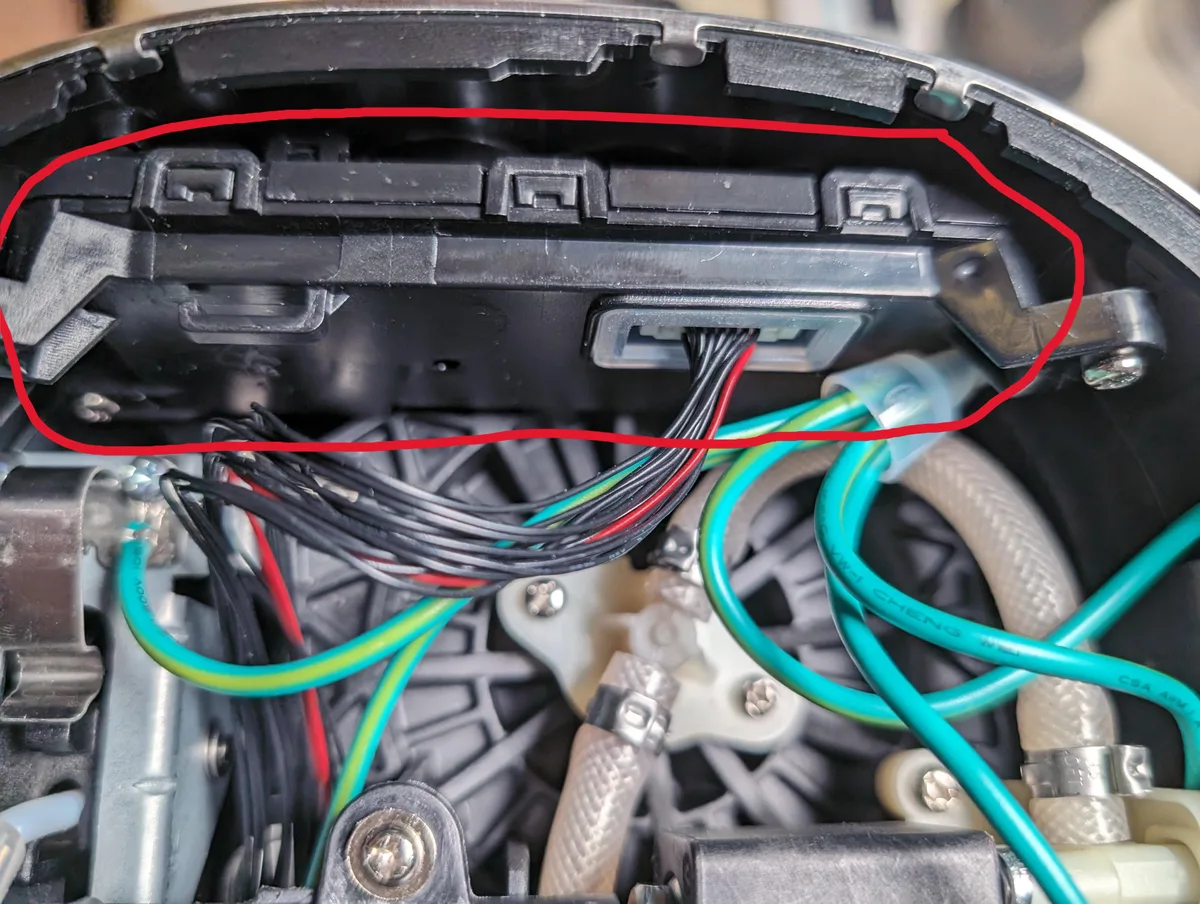
Image source: Bing (Web (fair-use with source credit))
Step-by-Step Fixes for Each Error Pattern
Once you know which pattern you're dealing with, the fix is straightforward. Here's how to handle each one.
For the Water Flow Error (Both Lights Flashing Slowly Together)
Step 1: Reset the water tank. Remove the tank, check the float moves freely, refill with fresh water, and press it firmly back into place. Listen for the click.
Step 2: Power cycle the machine. Unplug it from the wall. Wait 60 seconds. Plug it back in and turn it on.
This clears the machine's internal memory and forces a fresh diagnostic check.
Step 3: Manual prime the pump. Press and hold both the 1-cup and 2-cup buttons simultaneously for about two seconds. This triggers a manual priming cycle. The pump should run and pull water through the system.
Step 4: Clear an air lock with the steam wand. If the pump doesn't run, or if it runs but no water comes through, turn the steam dial to the manual position. Let the steam wand run for about ten seconds. The sputtering and spitting you hear is air being pushed out of the system.
Once the flow becomes steady and smooth, the air lock is cleared. Turn the steam dial off and try the brew cycle again.
Step 5: Repeat if needed. If the lights are still flashing, go through steps 1 through 3 again. Sometimes a stubborn air lock needs two or three attempts.
For the Pump Error (Both Lights Flashing Rapidly Together)
This pattern indicates the pump is trying to run but can't move water. The cause is almost always an air lock. The steam wand method from step 4 above is the most effective fix for this.
Run the steam wand for 15 to 20 seconds. This forces water through the pump and dislodges the air bubble. If that doesn't work, repeat the priming cycle from step 3.
The steam wand method works because the steam circuit shares the same water intake as the brew circuit. Running the steam wand creates a strong, continuous flow that pulls the air bubble out of the brew pump. It's a clever design feature that makes troubleshooting much easier.
For best results, let the machine cool down for a few minutes before trying this. If the machine is hot, the steam wand will produce steam instead of water, which won't clear the air lock.
For the Descaling Mode (Alternating Lights)
Step 1: Complete the descaling cycle. Fill the water tank with the descaling solution and water mixture according to the manufacturer's instructions. Place a large container under the steam wand and the group head to catch the runoff.
Step 2: Start the cycle. Press and hold both the 1-cup and 2-cup buttons together for about five seconds. The machine should enter the descaling cycle automatically.
Step 3: Let it finish. The cycle takes about 15 to 20 minutes. The machine will flush the solution through the system and then rinse. Do not interrupt the cycle.
If you need to stop it for any reason, unplug the machine and wait five minutes before plugging it back in.
Step 4: Check for normal operation. After the cycle ends, the machine should return to normal operation. If the lights are still alternating, unplug the machine for 30 seconds and plug it back in. This should clear the stuck state.
Following usage guidelines carefully for each of these steps will save you time and frustration. Don't rush through them. Each step is designed to address a specific cause.
Mistakes That Lock the Machine (And How to Avoid Them)
The flashing lights are a warning system. They're trying to protect the machine from damage. But some common mistakes can make the problem worse.
Here's what to avoid.
Mistake 1: Running the pump without water. This is the most damaging mistake you can make. The pump relies on water for lubrication and cooling. Running it dry for even a few seconds can damage the internal seals.
The pump in the Bambino Plus is a 15-bar vibration pump. These pumps are designed to run with water as a lubricant. Running them dry creates friction and heat that can warp the internal valves.
A replacement pump costs around 40 to 60 dollars and requires professional installation. Always check the water level before starting any cycle.
Mistake 2: Ignoring the descaling reminder. The Bambino Plus has a built-in descaling alert. When the machine needs descaling, it will flash the lights in a specific pattern. If you ignore this alert, the machine will eventually lock itself.
The machine has a counter that tracks the number of brew cycles. After a certain number, the descaling light activates. The exact number depends on the water hardness setting.
If you've set the machine to hard water, the descaling interval is shorter. Regular descaling prevents this lockout entirely.
Mistake 3: Interrupting the descaling cycle. If you start a descaling cycle, let it finish. Interrupting the cycle can leave the machine in a locked state. The machine's software treats the descaling cycle as a critical process.
If interrupted, the machine may not return to normal operation. The fix is usually to run the cycle again from the beginning. In rare cases, you may need to perform a factory reset.
If you must stop the cycle, unplug the machine and wait five minutes.
Mistake 4: Using hard water without treatment. Hard water is the enemy of espresso machines. Mineral deposits build up in the thermoblock and the pump over time. This can cause blockages that trigger the flashing lights.
The Bambino Plus has a water hardness setting that adjusts the descaling interval. If you live in an area with hard water, set the machine to the hardest setting. This will trigger descaling alerts more frequently, which is exactly what you want.
Use filtered or bottled water with low mineral content.
Mistake 5: Overfilling the water tank. Filling the tank to the very top can cause problems. The float sensor needs a small air gap to function correctly. If the water level is above the float, it can't rise and fall properly.
This confuses the sensor and can trigger the error. Fill to the max line, which is clearly marked on the tank. Not above it.
Mistake 6: Not seating the tank firmly enough. This is the most common mistake. The tank needs to be pushed down firmly until it clicks. A tank that looks seated but isn't fully engaged will trigger the sensor error.
The tank has a locking mechanism that engages when it's fully seated. If you don't hear the click, the tank isn't locked in place. Push down firmly until you feel the resistance and hear the click.
The most important thing is patience. The flashing lights are a warning, not a death sentence. Most of these fixes take less than five minutes.
Work through them one at a time. Don't skip the simple steps. The water tank reset solves the majority of cases.
And thorough cleaning practices for your kitchen appliances will keep them running reliably for years.
When Descaling Is the Hidden Cause
Mineral scale is the silent culprit in many flashing light cases. The Bambino Plus has a thermoblock that heats water on demand. Scale builds up inside these narrow passages over time.
This restricts flow and confuses the sensors.
The machine's internal diagnostics detect a drop in flow rate. It then triggers the flashing lights to protect the pump. This is the same mechanism that activates when the water tank is empty.
The machine can't tell the difference between a blocked thermoblock and an empty tank. It just knows water isn't moving.
How do you know if scale is your problem? The timing tells you. If you've had the machine for more than six months without descaling, scale is likely.
If you live in a hard water area, it's almost certain. The machine's water hardness setting adjusts the descaling interval. If you set it to soft water but your water is hard, the machine won't ask you to descale often enough.
The descaling cycle on the Bambino Plus takes about 20 minutes. You need the official descaling solution or a citric acid alternative. Fill the tank to the max line with the solution mixture.
Place a large container under the group head and steam wand. Press and hold both buttons for five seconds to start the cycle. The machine will flush the solution through the system.
It will then rinse with fresh water.
If you interrupt the descaling cycle, the machine can lock up. The alternating lights pattern we discussed earlier is the machine telling you it's mid-cycle. If you see this pattern and didn't start a descaling cycle, the machine may have triggered one automatically.
The Bambino Plus has a brew counter that activates the descaling reminder after a set number of cycles. If you ignore this reminder, the machine eventually locks you out.
The fix for a stuck descaling cycle is simple. Fill the tank with fresh water. Press and hold both buttons for five seconds to start a new cycle.
Let it run through the full rinse cycle. This clears the machine's memory and returns it to normal operation. If the machine still won't respond, unplug it for 30 minutes and try again.
Regular descaling is the best prevention. It keeps the thermoblock clear and the sensors accurate. It's the same principle as following the right cleaning habits for any kitchen appliance.
A little proactive care saves a lot of reactive troubleshooting.
Long-Term Care to Keep It Brewing Smoothly
The Bambino Plus is a reliable machine when you treat it right. A few simple habits will keep the flashing lights away.
Water quality matters most. Use filtered or bottled water with low mineral content. Tap water with high calcium content will scale up the thermoblock in months. The machine's water hardness setting lets you adjust the descaling interval.
Set it to match your actual water. A simple test strip from a hardware store costs a few dollars and tells you your water hardness level.
Clean the steam wand after every use. The auto-purge feature helps, but it's not enough. Wipe the wand with a damp cloth immediately after steaming. Run the steam wand for a few seconds into a cloth to clear any milk residue inside.
Milk residue can dry and block the wand, causing pressure issues that confuse the system.
Backflush the group head weekly. The Bambino Plus comes with a rubber cleaning disc. Place it in the portafilter with a small amount of cleaner. Lock it in place and run the brew cycle for about 10 seconds.
Repeat a few times. This clears coffee oils from the group head and solenoid valve. A clogged solenoid valve can cause flow issues that trigger the lights.
Replace the water filter regularly. The Bambino Plus has a small water filter that fits inside the tank. This filter removes impurities and reduces scale. Replace it every two to three months.
A clogged filter can restrict water flow and trigger the error.
Don't run the machine dry. The water level is a common cause of the flashing lights. Check the tank before every brew session. Refill when the level drops below half.
This prevents the pump from pulling air into the system.
Store the machine properly. If you won't use the machine for more than a week, empty the water tank. Leaving water sitting in the tank can cause bacterial growth. This can clog the internal passages.
Rinse the tank and let it dry before storing.
These habits are simple and take only a few minutes. They're the difference between a machine that lasts years and one that gives you trouble every few months. Proper appliance care is the same across all kitchen equipment.
It's about consistency, not complexity.
Frequently Asked Questions
Why are both lights flashing on my Breville Bambino Plus?
Both lights flashing together means the machine detected a water flow problem. The most common causes are a misaligned water tank, an air lock in the pump, or scale buildup in the thermoblock. Start with the water tank reset.
If that doesn't work, try the priming cycle.
How do I reset my Breville Bambino Plus after a descaling cycle?
Fill the water tank with fresh water. Press and hold both the 1-cup and 2-cup buttons for about five seconds. This starts a new descaling cycle.
Let it run through the full rinse cycle. The machine will return to normal operation automatically.
Can I use vinegar to descale my Bambino Plus?
Manufacturer specifications recommend using the official descaling solution. Vinegar can damage the internal seals and rubber components. It's not strong enough to remove heavy scale.
Use the recommended solution or a citric acid alternative. This protects the machine's internal parts.
Why does my steam wand work but the coffee side won't brew?
The Bambino Plus has separate heating circuits for steam and brew. The steam circuit and brew circuit share the water intake but have different paths. A problem in the brew water path, like an air lock or scale, affects only the brew side.
The steam wand works because it uses a different flow path.
How often should I descale my Breville Bambino Plus?
Descaling frequency depends on your water hardness. For soft water, every three to four months. For hard water, every one to two months.
The machine has a built-in descaling reminder that flashes the lights when it's time. Pay attention to this alert.
My machine is stuck in descaling mode. What do I do?
Fill the tank with fresh water. Press and hold both buttons for five seconds to start a new cycle. Let it run through the full rinse.
If the machine still won't exit descaling mode, unplug it for 30 minutes. Plug it back in and try again.
The Decision Guide: Fix It Yourself or Replace It?
Most cases of flashing lights are fixable at home. The water tank reset and priming cycle solve the majority of issues. Descaling handles another large chunk.
If you've tried all these steps and the lights are still flashing, you have a decision to make.
When to keep troubleshooting. If the machine is less than two years old, it's worth pursuing further. Check for a cracked water tank. Inspect the water filter for clogs.
Try a different power outlet. Contact Breville support for guidance. The machine is still under warranty, so don't open it up.
When to consider professional repair. If the machine is out of warranty and you've tried everything, a repair may be worth it. The most common internal failure is the pump. A replacement pump costs around 40 to 60 dollars.
Labor adds another 50 to 100 dollars. Total cost is usually under 150 dollars. Compare this to a replacement machine, which costs around 300 to 500 dollars.
When to replace the machine. If the control board is faulty, replacement is usually the better option. Control board repairs are expensive and not always successful. If the machine is more than five years old, the cost of repair may not be worth it.
A new machine has a fresh warranty and updated features.
The bottom line for most users. The flashing lights are almost always a simple fix. Work through the steps in order. Water tank reset, priming cycle, descaling.
If none of these work, contact support. Don't open the machine yourself. The repair cost is usually less than a replacement.
But if you're ready for an upgrade, a new machine is a reasonable choice.
Weighing your options is part of making informed decisions about your kitchen equipment. The Bambino Plus is a solid machine that serves most home users well. With proper care, it can last five to seven years.
The flashing lights are a warning, not a death sentence. They're the machine telling you it needs attention. Give it that attention, and it will reward you with years of good coffee.

Related posts
Ninja Foodi SmartLid OL701 Worth Buying? Reddit
If you've been scrolling through Reddit asking yourself "is ninja foodi smartlid ol701 one lid multi cooker with…

Crispy Rotisserie Chicken: Temp & Time for Combo Cooker
So you want restaurant quality crispy skin on a whole rotisserie chicken, and you want to do it…
Spray on Crisper Plate? Multi Cooker Safety Guide
So, can you put nonstick cooking spray directly on the crisper plate in a one lid multi cooker…